



Motherboard:
The main circuit board of a computer. The motherboard contains connectors (such as PCI(-E)) used for connecting other circuit boards such as Graphics Cards. Typically, the motherboard contains the CPU, EFI/BIOS, Memory (RAM), mass storage interfaces, serial and parallel ports, expansion slots and all the controllers required to control standard peripheral devices, such as the display screen, keyboard, and disk drive. Collectively, all these chips that reside on the motherboard are known as the motherboard's chipset.
BIOS:
Pronounced "bye-ose," an acronym for basic input/output system. The BIOS is built-in software that determines what a computer can do without accessing programs from a disk. On PCs, the BIOS contains all the code required to control the keyboard, display screen, disk drives, serial communications, and a number of miscellaneous functions.
EFI:
EFI stands for Extensible Firmware Interface and is a replacement for the BIOS. Macs have been using a restrictive EFI for many years and now EFI is being used in mainstream motherboard, with a graphical interface to perform tasks such as overclocking and changing the boot sequence. UEFI (Unified Exentsible Firmware Interface) can run on top of the traditional BIOS system.
CPU:
Abbreviation of central processing unit, and pronounced as separate letters. The CPU is the brains of the computer. Sometimes referred to simply as the processor or central processor, the CPU is where most calculations take place. In terms of computing power, the CPU is the most important element of a computer system.
RAM:
Random access memory: the most common computer memory which can be used by programs to perform necessary tasks while the computer is on; an integrated circuit memory chip allows information to be stored or accessed in any order and all storage locations are equally accessible.
Monitor:
Display produced by a device that takes signals and displays them on a television screen or a computer monitor.
Graphics (gfx) Card:
A peripheral device that attaches to the PCI or AGP slot in your computer to enable the computer to process and deliver video. Once installed in the computer, a cable is used to attach the graphics card to a computer monitor.
SSD (Solid State Drive):
A non-removable disk in a computer that uses flash memory as opposed to spinning metal platters that HDDs use. These are much faster at reading and writing data than HDDs, CD/DVD/BD Drives or Floppy Drives.
HDD (Hard Disk Drive):
A rigid non-removable disk in a computer and the drive that houses it. Hard disks store more data and can be accessed quicker than floppy disks or DVD/CDs.
SATA (Serial-ATA):
Often abbreviated SATA or S-ATA, an evolution of the Parallel ATA physical storage interface. Serial ATA is a serial link -- a single cable with a minimum of four wires creates a point-to-point connection between devices. Transfer rates for Serial ATA begins at SATA 1.0 150 MBps (1.5 Gbit/s), going up to SATA 2.0 300MBps (3 Gbit/s) and finally SATA 3.0 600MBps (6 Gbit/s). One of the main design advantages of Serial ATA is that the thinner serial cables facilitate more efficient airflow inside a form factor and also allow for smaller chassis designs.
eSATA (external Serial-ATA):
The same as an internal SATA connection but provides a high speed transfer port for external drives. Although the port is slightly different and the standard provides extra protection to EMI/ESD. It has a insertation lifecycle of 5000 vs the internal SATA's 50.
Heatsink:
This is a device that is used to conduct heat away from its source and "spread" the heat over a larger surface area. This will help to dissipate the energy faster, ensuring that the source of the heat is kept cooler.
FTP (File Transfer Protocol):
This is the language used for file transfer from computer to computer across the WWW. An anonymous FTP is a file transfer between locations that does not require users to identify themselves with a password or log-in. An anonymous FTP is not secure, because it can be accessed by any other user of the WWW.
SFTP (SSH File Transfer Protocol):
Pretty much the same as standard FTP but it is tunnelled over a Secure Shell 2.0 (SSH) to provide a method of secure data transfer between computers.
GHz (Gigahertz):
A unit of frequency equal to one billion cycles per second.
IP Address:
Each machine connected to the Internet has an address known as an Internet Protocol address (IP address). The IP address takes the form of four numbers separated by dots, for example: 123.45.67.890, IPv4 addresses are made of 32 bits, split into 4 sections. As of 15/01/2011 IPv4 addresses will run out in ~28 days, this is where IPv6 addresses come in which look like: 2001:0DB8:AC10:FE01::.
MAC (Media Access Control) Address:
A MAC Address is a unique identifier assigned to network interfaces on devices. MAC Addresses are often assigned by the NIC manufacturer (e.g. Realtek or Intel). No two MAC addresses on any device is the same, unless it has been spoofed from another device.
NIC (Network Interface Controller):
This is the networking hardware in a device. It may be wired or wireless and it controls the flow of data between the cable and your device.
Local IP Address:
Private IP address space has been allocated via RFC 1918. This means the addresses are available for any use by anyone and therefore the same private IP addresses can be reused. However they are defined as not routable on the public Internet. They are used extensively in private networks due to the shortage of publicly registerable IP addresses and therefore network address translation is required to connect those networks to the Internet.
DNS (Domain Name System):
The Domain Name System is the system that translates Internet domain names into IP numbers. A "DNS Server" is a server that performs this kind of translation.
ISP (Internet Service Provider):
An ISP provides access to the Internet for others via some connectivity service(s). Examples of ISPs include BT, Virgin Media, and Tiscali to name just a few.
Wi-Fi (Wireless Fidelity):
Short for ‘wireless fidelity’. A term for certain types of wireless local area networks (WLAN) that use specifications conforming to IEEE 802.11A 802.11b, 802.11G and 802.11N (in the UK, may differ worldwide). WiFi has gained acceptance in many environments as an alternative to a wired LAN. Many airports, hotels, and other services offer public access to WiFi networks so people can log onto the Internet and receive emails on the move. These locations are known as hotspots.
WLAN (Wireless LAN):
A wireless LAN is one in which a mobile user can connect to a local area network (LAN) through a wireless (radio) connection. A standard, IEEE 802.11, specifies the technologies for wireless LANs. The standard includes an encryption method, the Wired Equivalent Privacy algorithm.
Ethernet (LAN, Local Area Connection):
A local-area network (LAN) protocol developed by Xerox Corporation in cooperation with DEC and Intel in 1976. It is one of the most widely implemented LAN standards.
Network:
A connection of two or more computers so that they can share resources.
TCP/IP:
Transmission Control Protocol/Internet Protocol Transmission Control Protocol/Internet Protocol: This is a common shorthand which refers to the suite of application and transport protocols which run over IP. These include FTP, Telnet, SMTP (to name a few), and UDP (a transport layer protocol).
Node:
In networks, a processing location. A node can be a computer or some other device, such as a printer. Every node has a unique network address, sometimes called a Data Link Control (DLC) address or Media Access Control (MAC) address.
Router:
A device that routes data between networks using IP addressing. Routers provide firewall security and other advanced features such as MAC Address filtering.
Routing Table:
Information stored within a router that contains network path and status information. It is used to select the most appropriate route to forward automatic update due to dynamic status.
Subnet:
A subnet is a portion of an IP network defined by a subnet mask. Devices on the same subnet have the same subnet mask.
Packet Switching:
A method of switching data in a network where individual packets of a set size and format are accepted by the network and delivered to their destinations. The rules are based on the TCP/IP protocol.
HTTP (Hyper Text Transfer Protocol):
The set of rules for transferring files on the World Wide Web.
IP Address Classes (v4):
Class A: 1.0.0.1 to 126.255.255.254 Supports 16 million hosts on each of 127 networks.Private: 10.0.0.0 to 10.255.255.255.Class B: 128.1.0.1 to 191.255.255.254 Supports 65,000 hosts on each of 16,000 networks.Private: 172.16.0.0 to 172.31.255.255.Class C: 192.0.1.1 to 223.255.254.254 Supports 254 hosts on each of 2 million networks.Private: 192.168.0.0 to 192.168.255.255.
Results 1 to 10 of 33
-
 Computer Jargon, Mac/Apple Guide and Linux basics.
Last edited by Recursion; 15-01-2011 at 01:27 PM.
I'm an alcoholic student, I troll naked with a parrot on my shoulder call Jeff.
-
Computer Jargon, Mac/Apple Guide and Linux basics.
Computer Jargon, Mac/Apple Guide and Linux basics.
- Computer Jargon
- Linux Basics
- Apple History + General Info
Edited by iAdam (Forum Super Moderator): Merged, stuck and cleaned up.
Cleaned up and updated by Recursion (Forum Moderator): Permission off Hecktix (15/01/2011)
 Edited by HotelUser (Forum Super Moderator): Thread unstuck with permission from Nicola.
Last edited by HotelUser; 15-01-2011 at 10:48 PM.
I'm an alcoholic student, I troll naked with a parrot on my shoulder call Jeff.
-
Linux Basic Guide
Ok, I know this has been done already 2-3 times but I am gonna bring out all the basics to semi-advanced info here so lets start with some details of what linux is:
Linux: Linux is a free open-source operating system based on Unix. Linux was originally created by Linus Torvalds with the assistance of developers from around the globe. Some popular distributions include Ubuntu, openSUSE and Fedora Core.
Now your probably going "What is this Unix?" Well...
Unix: An operating system co-created by AT&T researchers Dennis Ritchie and Ken Thompson. Unix is well known for its relative hardware independence and portable application interfaces. Lots of big companies are using Unix servers for its reliability and scalability. Some of the popular Unix flavours are: Linux, Solaris, HP-UX, AIX, etc.
That gives the basic background check of Linux, so now we got that covered we can move onto the what does it look like, or how do we use it.
Graphical User Interfaces (GUI)
As you move down the list, these get harder to use. ie. KDE is the easiest, and Fluxbox is the hardest.
KDE: http://www.kde.org/
KDE is part of the free software, or open source, movement, which competes with the more common commercial operating system /desktop platforms on the market. KDE is free to anyone and its source code is available to anyone to modify. Development of KDE takes place across the Internet where users share information with each other regarding current developments of the system. KDE is very easy to edit with numerous sites around for programs and themes etc such as www.kde-look.org (I get all my stuff from there I advise it to anyone)
In KDE you have the Control Center to change everything from the Background to the Login Theme of the distro you are using.
GNOME: http://www.gnome.org/
GNOME or the GNU Object Model Environment is best regarded as a desktop rather than as a window manager. GNOME will work with any window manager which is GNOME-compliant but the Enlightenment wm seems to be the default choice. Now adays alot of common Distros use GNOME as the first choice DE (Desktop Envrioment) It is less editable then KDE but its more like windows so you can change between them more smoothly
These two, KDE and Gnome are the main two DE aviable on distros now adays but there is alot more such as:
XFCE : http://www.xfce.org/
Xfce is a desktop environment for Unix and other Unix-like platforms, such as Linux and FreeBSD. Its configuration is entirely mouse-driven, the configuration files are hidden from the casual user. "Designed for productivity, it loads and executes applications fast, while conserving system resources." (Olivier Fourdan, creator)
E17 : http://www.enlightenment.org/
Enlightenment, also known simply as E, is an open source window manager for the X Window System which can be used alone or in conjunction with a desktop environment such as GNOME or KDE. It has a rich feature set, including extensive support for themes and good performance. Enlightenment is often deployed on low-end systems with resource constraints instead of a full desktop environment. It used to be the default window manager for GNOME.
Blackbox : http://blackboxwm.sourceforge.net/
Blackbox is a window manager for the X Window System. It is minimalistic and therefore popular among those seeking a fast and clean environment. In spite of its small codebase and snappy performance, it has an attractive appearance. However, its small size comes at some cost, as certain functions that are ordinarily standard in other window managers must be provided by additional software.
And Fluxbox : http://fluxbox.sourceforge.net/
In Unix computing, Fluxbox is a window manager for the X Window System based on blackbox 0.61.1.
That basically sums up the whole look and feel to linux, you can find screenies of all those on the internet so you can decide what one you wish to use or not to use.
Applications
Ok, another reason people don't like linux is because "I cant get this program on here" or "I cant use msn" This is a changing world you know?
For such programs like msn you get clients like:
AMSN : http://amsn-project.net/
aMSN is an MSN Messenger clone licenced under the GPL. Its main objective is to assist users who are new to the Linux operating system keep in contact with those who use the Microsoft program, available only on Windows and Macintosh, by creating a similar program. To achieve this objective, aMSN attempts to emulate the look and feel of MSN Messenger, and supports many of its features.
Pidgin (Gaim) : www.pidgin.im
Pidgin is a multi-platform instant messenger that supports many commonly used instant messaging systems including AOL Instant Messenger (via OSCAR or TOC protocols)*Gadu-Gadu*ICQ (via OSCAR)*Internet Relay Chat*Jabber (XMPP)*MSN Messenger*Novell Groupwise*OpenNAP*Yahoo! Messenger*Zephyr*SILC. It used to be known as Gaim up until about a month ago.
And there are more, so you see it ain't that bad?
Another issue is "Oh i can't install this and i can't install that"
Well, there are 3 types of installations now adays, RPM, Source and Package.
RPM : RPM Package Manager (originally called "Red Hat Package Manager")
Source : The original textual form of a program.
Package: A compiler
Now, to install RPM you simply double click it and away it goes and does the rest for you. With a Package file you have to right click the file go to the "Permission" tab and make it "excutable" by the user, double click it again and it should prompt you to run it, let it run and there you go. But for a Source it's abit more complicated so here is how to do it, the following commands are typed into terminal/console!:
This will unpack the archive of the source.# tar xvzf package.tar.gz (or tar xvjf package.tar.bz2)
This will make you locate the console to run from the folder, if this command doesn't work right click the folder and select "Run Terminal/Console" this will open it from the folder.# cd package
Will configure the source for installation.# ./configure
It will take several minutes depending on the size of it.# make
Now for the final bit, root yourself by typing:
then type:# su
That will finish off the installation from source# make install
All distros come with a "Terminal" or "console" as without it they wouldn't run, i have covered the basic stuff needed for a newbie to linux if anything else is requested just askLast edited by Jamesy; 28-03-2010 at 10:25 PM.
I'm an alcoholic student, I troll naked with a parrot on my shoulder call Jeff.
-
 History of OSX
(Some content from wikipedia)
Mac OS X Public Beta:

Mac OS X v10.0 "Cheetah"

Mac OS X v10.1 "Puma"

Mac OS X v10.2 "Jaguar"

Mac OS X v10.3 "Panther"

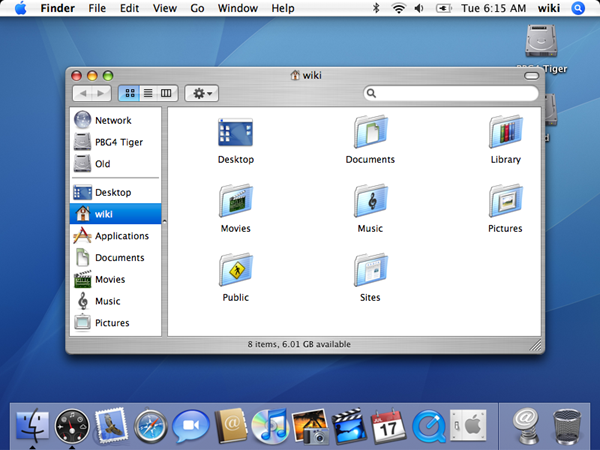
Mac OS X v10.4 "Tiger"
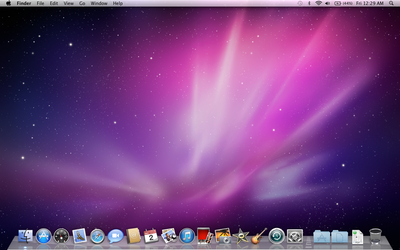
Mac OS X v10.5 "Leopard"

Mac OS X 10.6 "Snow Leopard"
Intel MovementIn the Worldwide Developers Conference (WWDC) keynote address on June 6, 2005, Steve Jobs announced that Apple would begin producing Intel-based Mac computers beginning in 2006.
Targeted at a professional audience, the MacBook Pro (15.4" widescreen) was Apple's first laptop with an Intel microprocessor. It was announced in January 2006, and started shipping two months later. The less expensive MacBook (13.3" widescreen) caters to the consumer market.
On January 10, 2006, Apple released its first Intel chip computers, a new notebook computer known as the MacBook Pro (with a 15.4" screen) and a new (though cosmetically identical) iMac with purportedly two to three times faster performance compared with its predecessor. Both used Intel's Core Duo chip technology. Through 2006, Apple transitioned the entire Mac product line to Intel chips, retaining the enclosure design while replacing its internal components. The Power Mac brand was retired, with Mac Pro being its successor. Apple also introduced a new piece of software called Boot Camp that helps users install Windows XP on their Intel Mac alongside Mac OS X.
Apple Products
iPods/AppleTV
iPod Shuffle
Click Here

iPod Nano
iPod Nano

iPod Classic
Click Here

iPod Touch (iTouch)
Click Here

AppleTV
Click Here

Notebooks/Laptops
Macbook
Click Here

Macbook Pro
Click Here

Macbook Air
Click Here

Desktop Computers
Mac Mini
Click Here

iMac
Click Here

Mac Pro
Click Here

iPhone
iPhone
Click Here

Software Packages
Chat
Adium
aMsn
MercuryIM
Microsoft Messenger
Note: aMsn and Mercury support Audio/Visual, which Adium and Microsoft Messenger are still to add in the coming months for both of them.
Processing Packages
iWorks
NeoOffice
Office '08
Media
iLife
GIMP
Aperture
Photoshop CS3
Useful Links
Flash Player
Shockwave (10.4 ONLY!)
Adobe Reader
Tips & Tricks
Leopard Dock
In 10.5 a tweak to allow customizable docks was found, you can download packs from "Leopard Docks" site:
Leopard Docks
Such Programs as CandyBar 3 and Dock Library
View Hidden files
Open Terminal (Applications > Utilities > Terminal) and type in:
If you wish to revert back to hiding hidden files use:PHP Code:defaults write com.apple.finder AppleShowAllFiles TRUE
killall Finder
This is all I can think of at the moment, if anyone else wishes to contribute go aheadPHP Code:defaults write com.apple.finder AppleShowAllFiles FALSE
killall Finder

Last edited by Recursion; 15-01-2011 at 01:30 PM.
I'm an alcoholic student, I troll naked with a parrot on my shoulder call Jeff.
-
This thread needs a major update.
:8 Originally Posted by Chippiewill

-
Do it then Originally Posted by Recursion

-
I would if it was my thread!
:8 Originally Posted by Chippiewill
-
Make another one!
-
Then I'd get moaned at by Moderation.
:8 Originally Posted by Chippiewill
-
******** to them. Rebel Tom! Our tech section needs to survive. We can't do this with outdated info!!?!?!?

 Reply With Quote


 Posting Permissions
- You may not post new threads
- You may not post replies
- You may not post attachments
- You may not edit your posts