


Hey, this is for the beginners
PIXEL PERFECT: MY TOOL (Sprites, "Habboy Style" & Every-style-you-can-imagine
When you are making pixels, working with specific stuff as isometric landscapes, palettes or animations, you may feel like you are making an extra effort for something that is supposed to be a practical, carefree task. Perhaps you are asking to yourself "Why am I wasting so much time to draw a straight, isometric line? Why do I have to make 1856188 colour, line corrections to fix a small thing? It doesn't seems right, but I don't know how to explain why."
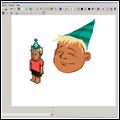
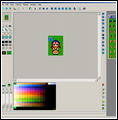
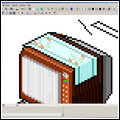
In this little article, we'll recommend you 3 useful Pixel Art programs*. I swear, one of them will suit your needs. Since they were invented for pixel art by pixel artists, you'll find out how simple is it and how you'll win a kind of freedom to experiment all the tools and, we hope so, you'll deeply explore and enhance your current potential . Pixel art is basically a problem-solving activity (but you may think it's better than math problems) so let's make it be a fun thing, not a painful obstacle.
Btw, do you have a favorite program? Do you think that there's a (free) Pixel Art program better than the ones above? Oh man, share you knowledge with us.
*...tested using Windows Operating Systems!



Results 1 to 6 of 6
Thread: My Tool
-
19-05-2016, 05:08 PM #1

 My Tool
Last edited by LUCPIX; 19-05-2016 at 05:14 PM.

-
19-05-2016, 09:44 PM #2

- Join Date
- Feb 2006
- Posts
- 24,817
- Tokens
- 63,679
- Habbo
- FlyingJesus
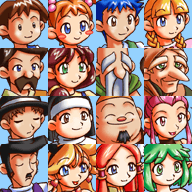
omf I remember using CharMaker99 yearrrrrrrrrrrrrrrrrrrrrrrrrrs ago when I was into RPGMaker stuff
 I was so terrible at it though wow had forgotten about that. For a long time just used MSPaint but the newer versions of it (ever since XP I think) are terrible because they try doing all the shading and things that you explicitly don't want from pixel art
  I usually use GIMP for everything these days since it does everything Photoshop can do but for free, still use Paint for easy bits and pieces though just chopping stuff around
-
interesting way of putting it, never thought of it like that.Pixel art is basically a problem-solving activity
favorite would be photoshop, i use it for everything graphics wise.Btw, do you have a favorite program?
i dunno i think its personal preference and how much time you spend on a certain program. i'm a guy who can't use paint to save myself but know the ins and outs of photoshop. i also had a spell of using adobe fireworks before i got photoshop but i was terrible with it.Do you think that there's a (free) Pixel Art program better than the ones above? Oh man, share you knowledge with us.
-
20-05-2016, 09:44 AM #4
For pixel art I pretty much exclusively use Aseprite after being part of the Paint master race for about 10 years. Costs a tad but is pretty good value and could easily be used beyond pixel art. For the rare occasions I do other graphics, then I have used Photoshop.
-
24-05-2016, 05:48 PM #5
 Originally Posted by FlyingJesus

You bet
RPG Maker 2000/2003 has a so solid gameplay, so easy to use and it has a cute graphic pattern too. When I was a kid I created a game in which there was a giant map of a Cinema with little doors that led the player to an AVI of a short movie from the old Woody Woodpecker series (I was obsessed with cartoons at the time) I never got to upload the game for the world because it ended up weighing shameful 5 gigabytes!
are you a hobbyist? do you focus your mind with the Habbo-style or do you work with several techniques? Originally Posted by David
Yes. this is an interesting program too, I used to play a little, but with the trial version instead, great design, easy to use Originally Posted by dbgtz
-
yeah just a hobby, and no habbo style isn't my main focus. i originally started with photoshop to create websites and i think that's still my strongest area. i only started with habbo/pixel art when i became active on habbox in 2011. Originally Posted by lucpix


 Reply With Quote







 Posting Permissions
- You may not post new threads
- You may not post replies
- You may not post attachments
- You may not edit your posts