


Please post in this thread if you spot any issues, bugs or dark mode things that aren't quite dark mode-d with our new site updates.
Read the announcement thread for more info!
Results 1 to 10 of 10
Thread: Site updates feedback
-
04-02-2026, 10:34 PM #1

 Site updates feedback
Last edited by lawrawrrr; 04-02-2026 at 10:38 PM.


-
05-02-2026, 08:53 AM #2
 Feedback
- the pageheader has a modified dark font color on many pages, which makes the light grey in dark mode not work correctly (example: about us & staff)
- the "What does Habbox have to offer?" box on the "about us" page has a white text on light-yellow background, which makes it unreadable
- the "loading..." font when switching sites is dark-grey text on dark background
- the background of furni images (example: https://habbox.com/rares/super-rares/ads_campguitar) is still light grey
- the "What timezone are you in?" select-dropdown is still light-grey when choosing an option
- the password strength indicator on the register page is pretty much unreadable because of the changed lighter darkmode font, but background color is the same
- the like-icon of articles doesnt look good and has artifacts, because it was cut around it to remove the white background it had, makes it look horrible
- the comment-amount number gets colored black when hovering on the index page, which makes it black-on-black
- generally i think the hover-color for links shouldnt be black on the darkmode
- the quiz-descriptions are colored in black (example: https://habbox.com/quiz/quiz-the-ult...f-habbo-firsts), also die question-headers as well in black
issues on both versions:
- the dropdown hover effect makes the menu pretty unreadable, since any sort of dropshadow or background is pretty much missing then
- when switching to sites with a sidebar, the sidebar loads instantly (and sort-of loads on the left first), while the main content continues to load for some seconds
- the latest badges page seems to not be loading at all?
- the logo hover effect is missing
- the hover effect of links in the footer is colored black, which makes the links black on black background
- habbo-user images that can not be loaded should get a fallback to an "anonymous" habbo image
issues on the forum:
- when logged in, the habbo user on the navigation seems to be pushed down when the username is long enough
- also, is there any way to change my username? lol
-
05-02-2026, 08:57 AM #3
in general, I think it would be great to consult with a designer to rework all the details and issues of the badge to make it future-proof. x.com/efistyler would be pretty perfect for it (he also made the latest design of puhekupla)
(also, the edit feature on forum posts does seem not to work at all for me, like none of the three buttons do anything)
-
05-02-2026, 02:33 PM #4

Love it!
I'll go ahead and simply suggest some edits, not saying any of them will be wanted or needed, but won't stop me suggesting them.
I was going to suggest some media screen edits, but in the time it took me to screenshot some examples, I can see things have changed, so I can see you're already working on them, but in case you haven't I'll just mention that on mobile the avatar starts to scale down at 450px which will look odd on certain devices. like this for example: click me
or when viewing from an iPad or similar where the user-hello bar is floating, see example here
Obviously I know you know how to do all of these suggestions should you wish to add them, but for ease, I've gone ahead and giving you a copy and paste method so you don't have to
1. Login/Register auto scroll to news-header div ready for user to login?
2. Nav menu to close on outside click when on mobile.Code:<script>document.addEventListener('DOMContentLoaded', () => { if (location.hash === '#news-wrapper' || location.hash === '#news-header' || location.hash === '#news-node') { const el = document.querySelector(location.hash); if (el) el.scrollIntoView({ behavior: 'smooth', block: 'start' }); } }); </script>
3. Arrows for sub menus on mobile?Code:<script>document.addEventListener('DOMContentLoaded', () => { const menu = document.getElementById('menu-habbox'); const container = document.querySelector('.menu-habbox-container') || menu; const toggle = document.querySelector('.toggle-nav'); if (!menu) return; function closeMenu() { menu.style.display = 'none'; // also close any open sub-menus (optional but tidy) menu.querySelectorAll('.sub-menu').forEach(sm => sm.style.display = 'none'); } // Click outside closes document.addEventListener('click', (e) => { // If menu is already hidden, do nothing if (menu.style.display === 'none' || getComputedStyle(menu).display === 'none') return; // Click inside menu/container? ignore if (container && container.contains(e.target)) return; // Click on toggle? ignore (so it can do its own open/close) if (toggle && toggle.contains(e.target)) return; closeMenu(); }); // Escape closes (nice UX) document.addEventListener('keydown', (e) => { if (e.key === 'Escape') closeMenu(); }); }); </script>

Optional rotate arrow when openedCode:@media (max-width: 768px) { /* Top-level mobile menu items that have children */ #menu-habbox > li.menu-item-has-children > a { position: relative; padding-right: 30px; display: block; } #menu-habbox > li.menu-item-has-children > a::after { content: "›"; position: absolute; right: 12px; top: 50%; transform: translateY(-50%); font-size: 18px; opacity: .7; pointer-events: none; } }
4. Rounded top left & right borders for headers?Code:@media (max-width: 768px) { #menu-habbox > li.menu-item-has-children.open > a::after { transform: translateY(-50%) rotate(90deg); } }

Obvs this is just border-radius CSS (I used 5px in the example above)
5. Loading div change text color to white when in dark-mode?
Before:

After:

Obviously this is just a change to add var(--wc-primary-text) assuming you have a root: and a body.dark-mode...
6. Change home goodies to a flex container so it can have flex: 1?
Before:

After:

(Remove inline-block CSS from #home-goodies and remove margin-right: 2% from #home-goodies > div:first-of-type, as gap will replace this)
7. Change #content to 95% on mobile?Code:#home-goodies { display: flex !important; gap: 16px; align-items: stretch; } #home-goodies > div { flex: 1 1 0; float: none !important; width: auto !important; margin: 0 !important; display: flex; flex-direction: column; min-width: 0; } #home-goodies > div > .home-goodies-content { flex: 1 1 auto; display: block; width: auto !important; }
Before:

After:

8. Hover on links is black, which doesn't work nicely for the user-hello class.
Last edited by Triz; 05-02-2026 at 02:39 PM.


There's another shooting today, and this one was badI'm glad that we all hope and pray, but it takes more than thatWe've been trying, we've been cryingHoping that they will do more than keep lyingI need to believe that people can changeOr else this life has all been in vain
What's the point of fighting if we're fighting for a lie?
I'm not senDing sublimInal messagEs to rule breakers Seatherny Liked
-
05-02-2026, 03:23 PM #5

- Join Date
- Jan 2024
- Location
- Norway
- Posts
- 41
- Tokens
- 1,268
- Habbo
- AmethystCutie
- Origins
- Amethyst
- The top line has sometimes bugged. Now, after the new update, the profile menu is bugged in the same way. When I try to move my mouse down to '' settings'' , for example, the menu disappears. Like when u move it away from the menu.
- I also wonder if.. the site is supposed to look this way on full screen?

- - - Updated - - -
- The top line has sometimes bugged. Now, after the new update, the profile menu is bugged in the same way. When I try to move my mouse down to '' settings'' , for example, the menu disappears. Like when u move it away from the menu.
- I also wonder if.. the site is supposed to look this way on full screen?
-
05-02-2026, 04:23 PM #6
this is an easy fix, I assume laura once upon a time had the nav larger, so .user-hello > ul just needs changing to 150px for margin-top
 Originally Posted by Amethyst

As for the the layout, what screen size do you have, as I can't seem to replicate that, the sidebar moves to the bottom after 950px, but you seem to only have the sidebar?
There's another shooting today, and this one was badI'm glad that we all hope and pray, but it takes more than thatWe've been trying, we've been cryingHoping that they will do more than keep lyingI need to believe that people can changeOr else this life has all been in vain
What's the point of fighting if we're fighting for a lie?
I'm not senDing sublimInal messagEs to rule breakers
-
08-02-2026, 09:30 PM #7
If going for the rounded edges approach, then change the li.user-hello to something like:
Before:Code:border-radius: 0px 0px 0px 30px;

After:

Then obviously the drop down to have rounded bottom borders:
Code:.user-options > li:last-child,.user-options form li:last-child { border-bottom-left-radius: 8px; border-bottom-right-radius: 8px; }
This would also need to remove the rounded border from hello-user when a user clicks on it, otherwise it'll look stupid.. so
Can do this:
Idk how you open the menu, looks like through CSS via display: block/none?Code:li.user-hello { border-radius: 0 0 0 30px; transition: border-radius .2s ease; } li.user-hello.open { border-radius: 0; }
If so, can add a .open class so the css works above using JS.
That'll create a nice transition between a rounded user-hello bottom left border to the above SS, where its not rounded, to display the drop-down menu - full disclosure, I've not tested the transition, so might look stupid since you'll see the drop down before it's fully transitioned to remove the borders, but can just delete that if so.Code:document.querySelector('.user-hello').addEventListener('click', function () { this.classList.toggle('open'); });
Then obviously if are doing this, make nav matchLast edited by Triz; 08-02-2026 at 09:34 PM.
There's another shooting today, and this one was badI'm glad that we all hope and pray, but it takes more than thatWe've been trying, we've been cryingHoping that they will do more than keep lyingI need to believe that people can changeOr else this life has all been in vain
What's the point of fighting if we're fighting for a lie?
I'm not senDing sublimInal messagEs to rule breakers
-
13-02-2026, 12:41 PM #8

 HabboxWiki Staff
HabboxLive Senior DJ (Music)
Rare Values Staff
Guest Events Organiser
Room Builder


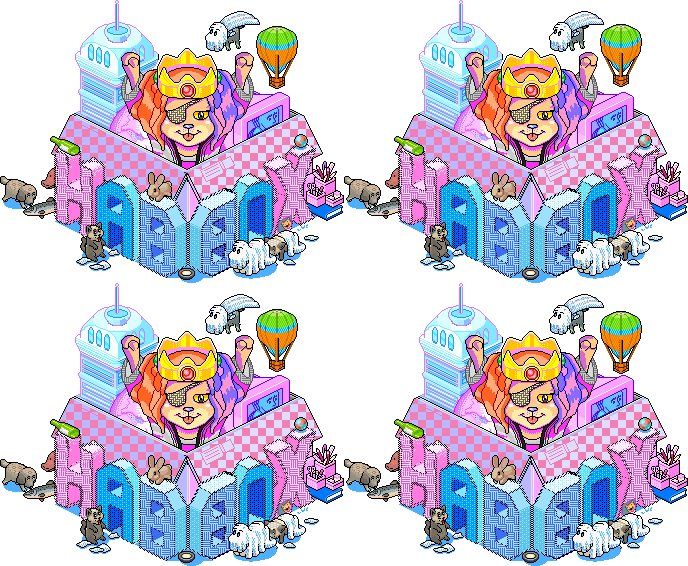
On the rare values block it has "New Furni" but nothing is there under the header
-
22-02-2026, 09:58 AM #9
 The Santa of Habbox
HabboxLive Guest DJ (Conor)
Guest Events Organiser
HabboxWiki Staff
The nav bar disappears when you go on guides
 Conor
Conor
FUNISMYME on Habbo.com
Guest HabboxLive DJ & Guest Event Host & HabboxWiki Staff
Previously one of the longest running HabboxLive Senior DJ, Ex Competitions Staff, Ex Event Host, Ex Competition Staff, Ex Article Writer and Ex Help Desk Staff
See something on the Wiki that needs updating? Feel free to PM me info and I'll get it sorted.
-
22-02-2026, 11:06 AM #10
This happening on all pages, not just guides.. Originally Posted by Conor
It seems to be a click to close menu for mobile from hamburger menu but site wide.
I did a break on inspect element and it comes out as
This closes itCode:function closeMenu() { menu.style.display = 'none'; // also close any open sub-menus (optional but tidy) menu.querySelectorAll('.sub-menu').forEach(sm => sm.style.display = 'none'); }
document.getElementById('menu-habbox').style.display = 'none';
this makes it reappear
document.getElementById('menu-habbox').style.display = '';
Full script in question:
Think it just needs changing to...Code:<script>document.addEventListener('DOMContentLoaded', () => { const menu = document.getElementById('menu-habbox'); const container = document.querySelector('.menu-habbox-container') || menu; const toggle = document.querySelector('.toggle-nav'); if (!menu) return; function closeMenu() { menu.style.display = 'none'; // also close any open sub-menus (optional but tidy) menu.querySelectorAll('.sub-menu').forEach(sm => sm.style.display = 'none'); } // Click outside closes document.addEventListener('click', (e) => { // If menu is already hidden, do nothing if (menu.style.display === 'none' || getComputedStyle(menu).display === 'none') return; // Click inside menu/container? ignore if (container && container.contains(e.target)) return; // Click on toggle? ignore (so it can do its own open/close) if (toggle && toggle.contains(e.target)) return; closeMenu(); }); // Escape closes (nice UX) document.addEventListener('keydown', (e) => { if (e.key === 'Escape') closeMenu(); }); }); </script>
(Not tested)
Code:<script>document.addEventListener('DOMContentLoaded', () => { const menu = document.getElementById('menu-habbox'); const container = document.querySelector('.menu-habbox-container') || menu; const toggle = document.querySelector('.toggle-nav'); if (!menu) return; // Adjust to whatever media screen is const isDesktop = () => window.matchMedia('(min-width: 900px)').matches; function closeMenu() { // Desktop: never hide the main menu if (isDesktop()) { menu.querySelectorAll('.sub-menu').forEach(sm => sm.style.display = 'none'); return; } // Mobile: hide menu + sub-menus menu.style.display = 'none'; menu.querySelectorAll('.sub-menu').forEach(sm => sm.style.display = 'none'); } // Click outside closes (mobile only) document.addEventListener('click', (e) => { // Desktop: do nothing if (isDesktop()) return; // If menu is already hidden, do nothing if (menu.style.display === 'none' || getComputedStyle(menu).display === 'none') return; // Click inside menu/container? ignore if (container && container.contains(e.target)) return; // Click on toggle? ignore (so it can do its own open/close) if (toggle && toggle.contains(e.target)) return; closeMenu(); }); // Escape closes (mobile only) document.addEventListener('keydown', (e) => { if (e.key !== 'Escape') return; if (isDesktop()) return; closeMenu(); }); }); </script>
There's another shooting today, and this one was badI'm glad that we all hope and pray, but it takes more than thatWe've been trying, we've been cryingHoping that they will do more than keep lyingI need to believe that people can changeOr else this life has all been in vain
What's the point of fighting if we're fighting for a lie?
I'm not senDing sublimInal messagEs to rule breakers

 Reply With Quote




 Posting Permissions
- You may not post new threads
- You may not post replies
- You may not post attachments
- You may not edit your posts