Discover Habbo's history
Treat yourself with a Secret Santa gift.... of a random Wiki page for you to start exploring Habbo's history!
Happy holidays!
Celebrate with us at Habbox on the hotel, on our Forum and right here!
Join Habbox!
One of us! One of us! Click here to see the roles you could take as part of the Habbox community!


Results 1 to 6 of 6

Thread: Trouble

  1. #1
    Join Date
    Apr 2008
    Location
    Nottingham
    Posts
    213
    Tokens
    0

    Default Trouble

    http://habboinfo.co.uk/forum/ whats wrong can eny one make me a config with following info my db is:

    habboinf_forum
    habboinf_forum
    W8FndP909

  2. #2
    Join Date
    Apr 2008
    Location
    England.
    Posts
    1,324
    Tokens
    0

    Latest Awards:

    Default

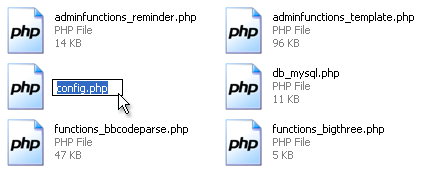
    Your config.php file is with your forum, edit the information where required.

  3. #3
    Join Date
    Mar 2007
    Location
    Kent
    Posts
    11,415
    Tokens
    787

    Latest Awards:

    Default

    Quote Originally Posted by Liburd View Post
    http://habboinfo.co.uk/forum/ whats wrong can eny one make me a config with following info my db is:

    habboinf_forum
    habboinf_forum
    W8FndP909
    Thanks for telling us your password/database name.

    Now im sure you could gain access or do some damage with that or did i read things wrong.

  4. #4
    Join Date
    Jun 2005
    Location
    Selby
    Posts
    3,357
    Tokens
    2,165

    Latest Awards:

    Default

    Quote Originally Posted by vBulletin Documentation
    The first thing you must do is to rename this file from config.php.new to config.php (removing the temporary .new extension).
    The second folder is do_not_upload - This folder contains tools to perform various tasks on your board
    • searchshell.php - This file will allow you to rebuild the search index.
    • vb_backup.sh - This file will allow you to run a database backup via SSH/Telnet or a scheduled backup through cron.
    • tools.php - This file must be uploaded to the admincp folder and allows you to perform certain tasks should your board go down or you accidentally lock yourself out of the Admin Control Panel. This file must be deleted immediately after use or it will cause a SEVERE security problem.
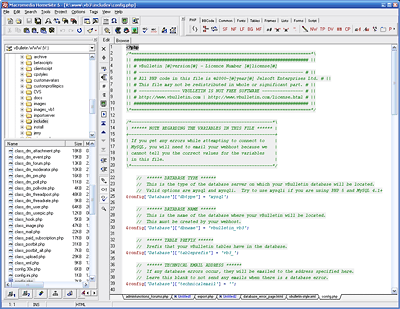
    Before uploading the vBulletin files to your web server, you must edit the vBulletin configuration file (includes/config.php) to tell vBulletin how to communicate with your database.

    To edit the config.php file, you will need to open the file in a text editor such as Windows® WordPad. (Note that we do not recommend that you use Windows® Notepad to edit config.php, as Notepad has problems displaying the line breaks in some file types.)


    Editing the config.php file is one of the few times in vBulletin where you will need to edit raw PHP code. The file is heavily commented in order to help you fill in the necessary information.

    Of the settings in this file, only a few need to be edited in order to create a working vBulletin configuration file. These settings are:

    $config['Database']['dbname']This value should be altered to state the name of the database that will contain your vBulletin installation on the database server.

    $config['Database']['technicalemail']An email address should be entered here. All database error messages will be forwarded to the email address provided.

    $config['MasterServer']['servername']This sets the address of your database server. On most installations the database server is located on the same computer as the web server, in which case the address should be set to 'localhost', otherwise use the address of the database server as supplied by your web host.

    $config['MasterServer']['username']This variable contains the username provided to you by your host for connecting to your database server.

    $config['MasterServer']['password']The password that accompanies the database username should be entered here.
    http://www.vbulletin.com/docs - Have a read of it, it contains useful information for beginners ;).

    Matt lurvs Jay

  5. #5
    Join Date
    Apr 2008
    Location
    Nottingham
    Posts
    213
    Tokens
    0

    Default

    thanks mat64

  6. #6

    Default

    http://habboinfo.co.uk/forum/install/install.php I can install it easily, it doesn't ask for a license number.. hmm nulled.
    There I installed it myself, it didn't ask for a license number which means it's nulled, you just need to delete one install.php.

    Your forum works now, registered I'm now Administrator, lmao.

    (Disclaimer: I'm not involved in this project I'm just browsing and saw this thread)
    Last edited by effectiveness; 20-05-2008 at 02:04 PM.

Posting Permissions

  • You may not post new threads
  • You may not post replies
  • You may not post attachments
  • You may not edit your posts
  •