



Hello Everyone
Okay this is my first time making a tutorial, i hope in the end it will be helpful..
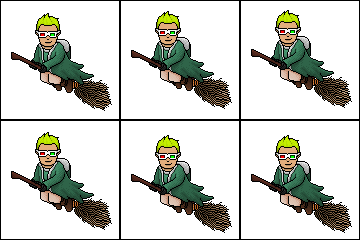
First: Go to a Habbo Generator and generate a habbo bald head, then create your outline, like the picture above...
#1: Select the color you want your hair to be, remember if you're making it black don't pick the darker black, edit the black and make it a bit lighter..
#2: Edit your color to lighter but not too much lighter and then highlight the top part of the hair, and add some other features if you want but keep it simple to add more details later.. like on you can i added the light yellow on the top and also i put that light on the middle but i kept it simple..
#3: Then if you decided to add some kind of feature like i put that light, pick a lighter color than your main color and pass it on the top of your feature, like i passed on the top of my line which made it look a bit bold..
#4: Now we're getting to the part of darker colors, as you can see on my image, I picked my main color and edited it to a darker color, then used that color to use on the bottom part of the hair, it gives a whole different look to
your image..
#5: Then you will get the main color and make it darker again but this time darker than the other, and add this color to the rear part of the habbo head where the hair is occupying, as you can see on my picture i chose a darker yellow and added to the rear part, remember to dither a little bit ( If you don't know what is dither, that are like the dots i put over my darker color which helps the hair make it more outstanding..
#6: Now remember this, if you're trying to demonstrate a especial part of your hair, like on mine i made some bangs on the front, you should never leave the black lines take over to the middle of your head or what so ever, so to make it not happen, choose the darkest color from your main color, as long it's not completely 100% black, then pass it over the lines crossing your "main area", as you can see in my picture i got a darker yellow and highlighted the black..
#7: The last step to make it more cool and detailed is to add some dither, but don't dither the whole hair, it won't mess everything up, but it won't be cool as leaving the top or any other area a bit plain, like on my image as you can see i dithered the part below that line and then just dithered a bit over the line, leaving a plain area on the center..
#8: Now go ahead and try your new cool hair, in case you mess up on the first try remember nobody's perfect, only those who practice alot
I hope you guys enjoyed it and Ill look further to show more of the stuffs I've learned..
Results 1 to 10 of 11
Thread: [TUT] - Pixel Hair [First Time]
-
 [TUT] - Pixel Hair [First Time]
-
06-11-2008, 03:24 AM #2

- Join Date
- Feb 2007
- Location
- London
- Posts
- 6,723
- Tokens
- 4,374
- Habbo
- welldonemate
Thats very nice, your very talented
(H)
-
amazing tut.
-
Very good, well done. Nice tutorial too.


-
06-11-2008, 09:33 AM #5
Thats very good
+Rep
NEW HABBO NAME ADD EXTRAKEN !
also known as .-.eXtra.-.
FOLLOW ME ON TWITTER - Extraken_Habbo
-
Mm, great tut, thanks for this.

I'll be branded a maniac for speakin' the truth and I'll be murdered as soon as I hit the streets with the proof.
-
Thats my pleasure.. Ill look forward to create more whenever i can
-
thanx for the tut .. very helpfull. Might even use it when i get re-enthused to do pixel art
-
Cool
There is potential - Try making it a normal habbo size, and use a habbo with the big eyes to get a manga look - nice one!
<a target="_blank" href="http://itunes.apple.com/WebObjects/MZStore.woa/wa/viewAlbum?i=324729420&id=324729414&s=143444">
<img border="0" src="http://www.wmuk-apache.co.uk/biffyclyro/468x60.gif" width="468" height="60"></a>
-
Thanks, i'm defo gunna' use that


 Reply With Quote






 Posting Permissions
- You may not post new threads
- You may not post replies
- You may not post attachments
- You may not edit your posts