


I have the following equipment ;
Dazzle Platinum DVC 170
3X AV SPLITTERS
1 X RED WHITE AND YELLOW DOUBLE ENDED RCA CABLE
I installed all the stuff etc, but when i plug the xbox cables ( SD ONES ) into the splitter alongside one end of the double ended cable, and plug the other end of the double cable into the xbox, my picture is just fuzzy grey and i can see the xbox 360 screen etc, play it fine, but its grey and fuzzy? Do the AV cables need to be plugged in to another slot on the back of my tv? Samsung 22" LCD / HD READY tv btw. Many thanks, or do i need to buy an AUDIO OUTPUT cable thing?
Results 1 to 6 of 6
Thread: Dazzle Platinum - Setting it up
-
 Dazzle Platinum - Setting it up
-
Go to console settings, you need to make sure it isn't set to HD and on Pinnacle Studio on the settings you need to change the settings around like instead of PAL use the other version, I forgot what it's called
 That's how I got colour on my Dazzle before.
That's why we seize the moment, try to freeze it and own it, squeeze it and hold it cause we consider these minutes golden.
That's how I got colour on my Dazzle before.
That's why we seize the moment, try to freeze it and own it, squeeze it and hold it cause we consider these minutes golden.
-
-
It should work fine with the splitters despite being on a HD TV. As long as it's in the AV section it should work fine.
Does yours look like this?
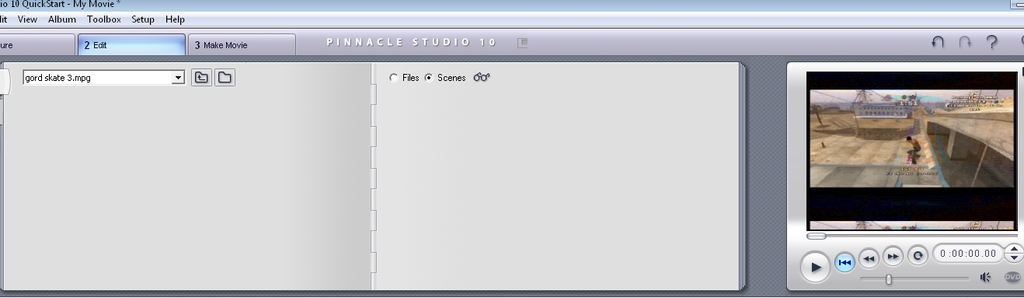
This is an old image of mine
That's one of the common errors I got.
To get rid of the bars on Pinnacle Studio change the recording from PAL to NTSC.
EDIT: If it helps, here's how I used to lay it out.
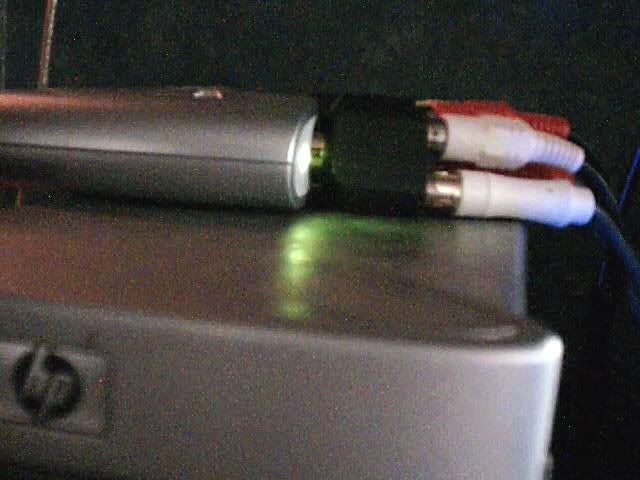
I put the splitters into the Dazzle rather than the TV.Last edited by J0SH; 24-08-2009 at 12:27 PM.
That's why we seize the moment, try to freeze it and own it, squeeze it and hold it cause we consider these minutes golden.
-
The back of my tv is weird, it has this ;
Thats my component cables plugged in, alongside my sound and turtle beach x1 ;
It's weird because i put the splitters in etc, but when i replace the component cables with the composite (SD ONES), all i get is a grey picture, it shows the xbox 360, but it's just grey. Also, on the laptop the preview is just black =/ Heres the pic of my tv -
http://img15.imageshack.us/i/img0419pfd.jpg/
-
It's because you've got the HD ones plugged in too
 That's why we seize the moment, try to freeze it and own it, squeeze it and hold it cause we consider these minutes golden.


 Reply With Quote




 Posting Permissions
- You may not post new threads
- You may not post replies
- You may not post attachments
- You may not edit your posts